
Tech
Puppet Config: A Practical Guide to Managing Infrastructure Efficiently

Modern IT environments are becoming more complex every year. Businesses now manage hundreds or even thousands of servers, cloud services, containers, and applications at the same time. Handling all of these systems manually often leads to errors, inconsistent settings, and wasted time. This is where configuration management tools become essential.
One of the most trusted tools in this area is Puppet. It helps administrators automate repetitive tasks, maintain system consistency, and deploy changes safely across multiple environments. At the center of this automation process is the concept of puppet config, which controls how Puppet behaves and communicates with managed systems.
Understanding how Puppet configuration works can improve system reliability, reduce downtime, and simplify infrastructure management. Whether you are a beginner learning automation or an experienced administrator improving enterprise workflows, knowing how Puppet handles configuration is extremely valuable.
What Is Puppet?
Puppet is an open-source configuration management and automation platform used to manage servers, applications, and infrastructure. It allows system administrators to define the desired state of systems through code instead of performing manual changes on each machine.
Puppet follows an Infrastructure as Code approach. This means system configurations are written in files and stored like software code. Once configurations are defined, Puppet automatically applies them to all connected systems.
The platform is widely used in Linux and Windows environments because it can:
- Automate software installation
- Manage system services
- Configure user accounts
- Enforce security policies
- Deploy application updates
- Maintain consistent infrastructure settings
Organizations prefer Puppet because it reduces human error and saves time in large-scale operations.
Understanding Puppet Configuration
The term puppet config refers to the collection of settings that determine how Puppet operates. These settings define communication between agents and servers, logging behavior, security rules, file locations, execution intervals, and environment settings.
Puppet stores its main configuration details inside a file called puppet.conf. This file contains different sections that apply settings to various Puppet components.
The configuration file is usually located in:
/etc/puppetlabs/puppet/puppet.conf
Inside this file, administrators can customize Puppet behavior according to organizational needs.
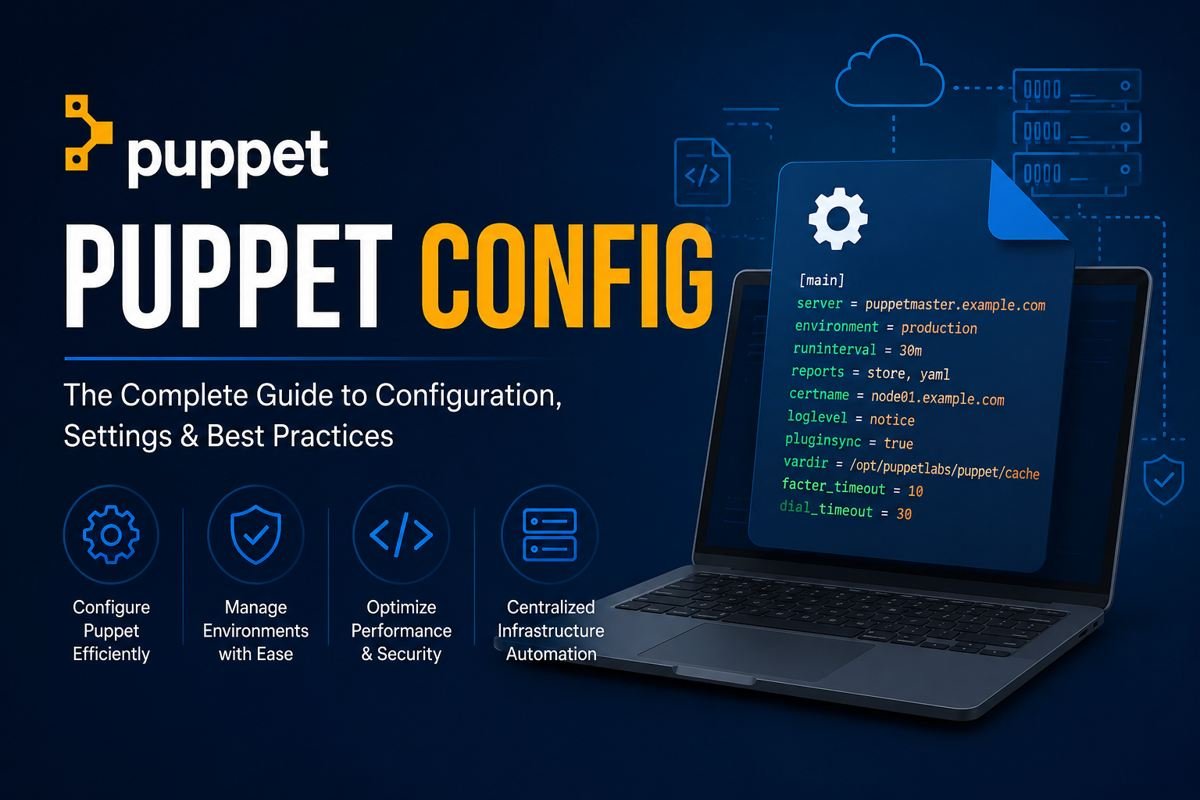
A basic example looks like this:
[main]
server = puppet.example.com
environment = production
runinterval = 30m
This simple configuration tells Puppet which server to contact, which environment to use, and how often agents should check for updates.
Main Components of Puppet Architecture
To fully understand Puppet configuration, it is important to know the major components involved.
Puppet Server
The Puppet Server stores configuration manifests and distributes them to managed systems. It acts as the central management point.
Puppet Agent
The Puppet Agent runs on managed machines. It regularly communicates with the Puppet Server to receive configuration updates.
Manifests
Manifests are files written in Puppet language that describe the desired system state.
Modules
Modules organize Puppet code into reusable components. They simplify large infrastructure management.
Facts
Facts are system details collected by Puppet, such as operating system type, IP address, memory information, and hostname.
Together, these components create a complete automation framework.
Structure of the Puppet Configuration File
The configuration file contains multiple sections. Each section controls a specific part of Puppet behavior.
Main Section
The [main] section contains global settings that apply to all Puppet components.
Example:
[main]
certname = server01.example.com
logdir = /var/log/puppetlabs
vardir = /opt/puppetlabs/puppet/cache
These settings define certificate names, log storage locations, and cache directories.
Agent Section
The [agent] section controls how Puppet agents behave.
Example:
[agent]
server = puppet.example.com
runinterval = 1h
This tells agents which server to connect to and how frequently they should request updates.
Server Section
The [server] section applies settings specifically for the Puppet Server.
Example:
[server]
environment_timeout = unlimited
This setting controls environment caching behavior.
Understanding these sections helps administrators customize infrastructure automation more effectively.
Why Puppet Configuration Matters
A properly planned puppet config setup improves infrastructure management in several important ways.
Consistency Across Systems
Manual configuration often creates differences between servers. Puppet ensures every machine follows the same configuration rules.
Faster Deployments
Automated configurations reduce deployment time dramatically. New servers can be configured within minutes.
Improved Security
Security settings can be enforced automatically across all systems. This reduces vulnerabilities caused by inconsistent configurations.
Easier Scaling
As infrastructure grows, managing systems manually becomes difficult. Puppet simplifies scaling by automating repetitive administration tasks.
Reduced Human Error
Automation minimizes mistakes caused by manual changes, especially in large environments.
These benefits make Puppet a valuable tool for DevOps teams and enterprise IT departments.
Common Puppet Configuration Settings
Several configuration options are frequently used in production environments.
Server Setting
This defines the Puppet Server address.
server = puppet.example.com
Environment Setting
This determines which environment agents use.
environment = production
Run Interval
This controls how often Puppet agents check for updates.
runinterval = 30m
Report Setting
This enables reporting features.
report = true
DNS Alternative Names
This allows multiple DNS names for certificates.
dns_alt_names = puppet,puppet.example.com
Correctly configuring these settings helps maintain stable infrastructure operations.
Best Practices for Managing Puppet Environments
Good configuration management requires planning and organization. Following best practices improves performance and reliability.
Use Version Control
Store Puppet manifests and modules in Git repositories. This allows tracking changes and rolling back mistakes.
Separate Development and Production
Always test changes in a development environment before applying them to production systems.
Keep Modules Organized
Use reusable modules instead of placing all code in one large manifest file.
Limit Manual Changes
Avoid making direct changes on managed systems because Puppet may overwrite them.
Monitor Puppet Logs
Regularly review logs to detect failures, security issues, or communication problems.
Use Secure Certificates
Puppet relies heavily on SSL certificates. Ensure certificates are properly managed and renewed.
Applying these practices improves long-term infrastructure stability.
Troubleshooting Puppet Configuration Issues
Even experienced administrators encounter configuration problems occasionally. Understanding common issues helps reduce downtime.
Certificate Errors
SSL certificate mismatches are among the most common Puppet problems.
Possible solutions include:
- Regenerating certificates
- Cleaning old certificates
- Synchronizing server time
Agent Connection Failures
Agents may fail to connect if DNS settings or firewall rules are incorrect.
Check:
- Network connectivity
- Port accessibility
- Correct server names
Manifest Syntax Errors
Incorrect syntax inside manifests prevents successful configuration runs.
Use Puppet validation commands before deployment:
puppet parser validate example.pp
Module Dependency Problems
Missing module dependencies can break configurations.
Use Puppet Forge or dependency management tools to resolve missing components.
Quick troubleshooting reduces interruptions and keeps automation workflows stable.
Puppet and DevOps Automation
Puppet plays an important role in modern DevOps practices. It supports automation pipelines and infrastructure consistency across cloud and on-premise environments.
DevOps teams use Puppet to:
- Provision infrastructure automatically
- Deploy application updates
- Maintain compliance standards
- Reduce deployment risks
- Integrate with CI/CD pipelines
Puppet also integrates with tools like Jenkins, Docker, Kubernetes, and cloud platforms such as AWS and Azure.
Automation allows organizations to release software faster while maintaining system reliability.
Security Considerations in Puppet Management
Infrastructure automation must always include strong security practices.
Administrators should:
- Restrict access to Puppet Servers
- Rotate SSL certificates regularly
- Encrypt sensitive data
- Use role-based permissions
- Monitor unauthorized configuration changes
Puppet supports secure communication through SSL encryption, which helps protect infrastructure from unauthorized access.
Security-focused configuration management reduces operational risk and improves compliance with industry standards.
The Future of Configuration Management
As cloud computing and hybrid infrastructure continue to expand, automation tools will become even more important.
Configuration management platforms are evolving to support:
- Container orchestration
- Multi-cloud infrastructure
- Edge computing
- AI-assisted automation
- Policy-driven infrastructure management
Puppet continues adapting to these changes by improving scalability, integration capabilities, and cloud support.
Organizations investing in automation today are preparing for more efficient and reliable infrastructure management in the future.
Conclusion
Puppet has become one of the most trusted tools for infrastructure automation and configuration management. By understanding how puppet config works, administrators can create stable, scalable, and secure environments with less manual effort.
From defining server settings to automating deployments and enforcing security policies, Puppet simplifies many complex IT operations. Proper configuration also improves consistency, reduces human error, and supports long-term infrastructure growth.
Whether managing a small group of servers or a large enterprise environment, learning Puppet configuration is a valuable skill for modern IT professionals. With the right planning, testing, and best practices, Puppet can significantly improve operational efficiency and system reliability.
More Details : A Simple Guide to Powerful Visual Effects Techniques Used in Modern Media
FAQs
1. What is Puppet used for?
Puppet is used for configuration management, infrastructure automation, software deployment, and maintaining consistent system settings across servers.
2. Where is the Puppet configuration file located?
The main Puppet configuration file is commonly located at:
/etc/puppetlabs/puppet/puppet.conf
3. What does Puppet Agent do?
The Puppet Agent connects to the Puppet Server, retrieves configurations, and applies them to managed systems.
4. Why is Puppet important in DevOps?
Puppet automates repetitive tasks, improves deployment speed, reduces manual errors, and supports Infrastructure as Code practices.
5. Can Puppet manage both Linux and Windows systems?
Yes, Puppet supports both Linux and Windows environments, making it suitable for mixed infrastructure management.

Hair Systems for Men: Your Complete Guide to Confidence

Why Athletes Trust Oakley Over Other Sports Brands?

AI Glasses for Hands-Free POV: Inside RayNeo X3 Pro’s 12MP Sony Camera

Which Vape Is Good in Germany?

How AI Helps Brands Create Memorable Jingles and Marketing Songs

How to Propagate a Snake Plant Successfully: Simple Methods That Really Work

NASA City Lights: How Satellite Images Reveal the Story of Our Planet

Latest Development Updates of Naval Anchorage Phase 2 Islamabad – What Investors Need to Know (2026 Guide)

How to Read Sheet Music Basics: A Complete Beginner’s Guide

HR Applied Intelligence: The Future of Intelligent Workforce Management

What Is Constructor in Java? A Complete Guide for Beginners

Best Free Screen Recorder for Windows 11 Without Watermark in 2026

Best Wireless Earbuds Under 200 Dollars 2024: Top Picks for Sound, Comfort, and Value

Blemish Remover: What Actually Works in Photo Editing and Why

How to Deploy Keycloak Using Docker

Twisted Games by Ana Huang: An In-Depth Review of the Popular Royal Romance

Carlos Alman: A Closer Look at the Life and Background of Cardi B’s Father

Teach Me First Comic Guide: How Beginners Can Create Their First Comic From Start to Finish

Best Times to Post on TikTok: A Complete Guide to Reaching More Viewers

Why Most Travel Businesses Lose Bookings Before Hello
Hair Systems for Men: Your Complete Guide to Confidence
Why Athletes Trust Oakley Over Other Sports Brands?
AI Glasses for Hands-Free POV: Inside RayNeo X3 Pro’s 12MP Sony Camera
Which Vape Is Good in Germany?
How AI Helps Brands Create Memorable Jingles and Marketing Songs
How to Propagate a Snake Plant Successfully: Simple Methods That Really Work
NASA City Lights: How Satellite Images Reveal the Story of Our Planet
Latest Development Updates of Naval Anchorage Phase 2 Islamabad – What Investors Need to Know (2026 Guide)
How to Read Sheet Music Basics: A Complete Beginner’s Guide
HR Applied Intelligence: The Future of Intelligent Workforce Management
-

 Tech5 months ago
xxx is equal to 2022: A Complete Informative Explanation of a Cubic Equation
-

 Entertainment5 months ago
The Artistic World of Gege Akutami: A Mastermind Behind Jujutsu Kaisen
-

 Celebrity5 months ago
Izzie Balmer Partner: A Deep Dive into the Relationship with Will Hawley
-

 Entertainment5 months ago
Semana Santa 2026: Dates, Traditions, and Global Celebrations