
Tech
Smart Ways to Use VLOOKUP for Faster and More Accurate Excel Work

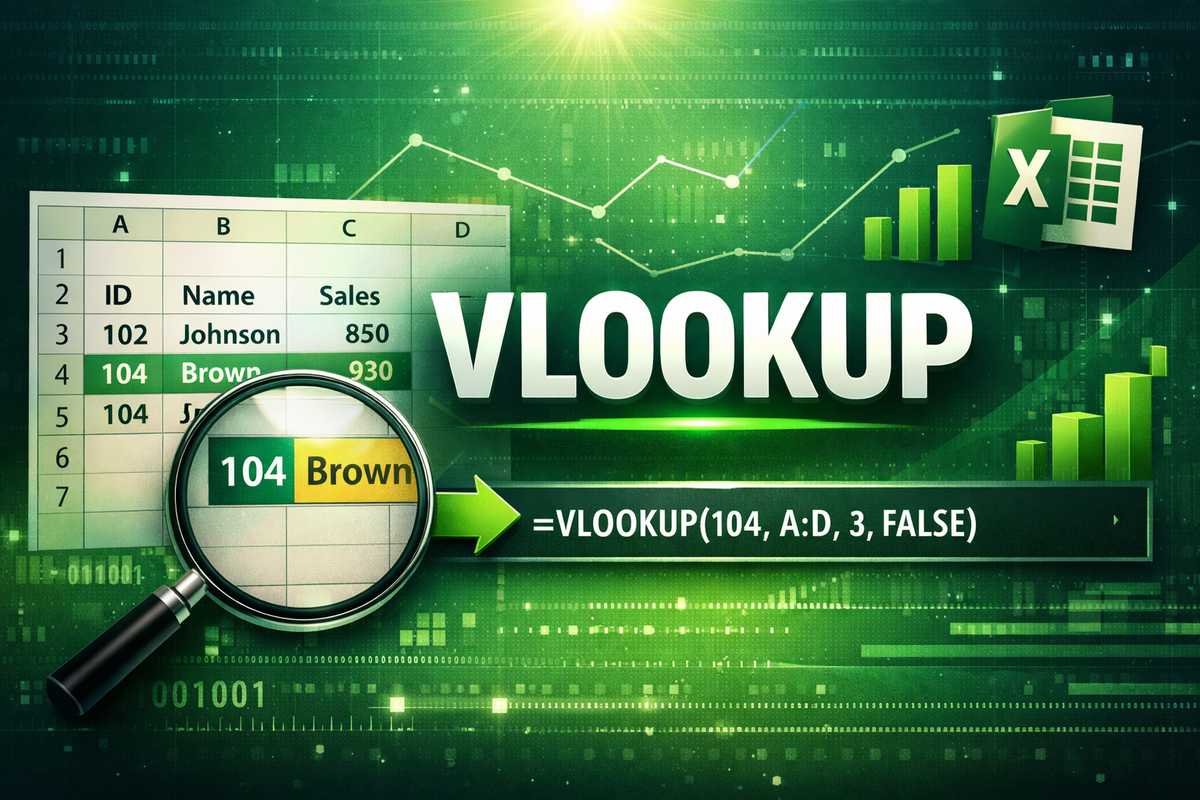
Spreadsheets often contain large volumes of data that need to be searched, matched, and analyzed quickly. Excel provides several tools to handle this task efficiently, and vlookup is one of the most recognized options. It helps users locate specific information without manually scanning rows and columns, making everyday spreadsheet work more efficient.
Why VLOOKUP Became So Popular
The popularity of vlookup comes from its simplicity and effectiveness. It allows users to connect related data stored in different columns by using a common value. This makes it highly useful in offices, schools, and businesses where structured data is handled daily.
How the Function Searches Data
This function works by scanning data vertically from the first column of a selected table. Once it finds the matching value, it pulls the related information from the same row. This structured approach makes it easy to organize and analyze records in a predictable way.
Key Elements That Make It Work
Every lookup formula depends on four essential elements: the value to search for, the data range, the column number to return data from, and the match type. When these elements are defined correctly, results remain accurate and consistent.
Importance of Clean and Structured Data
For reliable results, data must be properly organized. The lookup column should not contain duplicates, and formatting should remain consistent. Clean data ensures the function works smoothly and reduces the risk of errors.
Common Situations Where It Is Used
Many professionals rely on vlookup for tasks such as matching employee IDs with names, retrieving prices from product lists, or linking customer records with transaction data. These practical applications make it a valuable tool in day-to-day spreadsheet usage.
Exact Match vs Approximate Match Explained
Exact match is commonly used when accuracy is critical, such as searching for codes or unique IDs. Approximate match is helpful when working with ranges, such as commission rates or grading systems. Choosing the correct match type directly affects output quality.
Benefits for Productivity and Accuracy
One of the biggest advantages is time savings. Instead of manually searching through data, users can retrieve information instantly. This not only improves productivity but also reduces human error in repetitive tasks.
Common Errors and Their Causes
Errors usually occur due to incorrect column selection, missing values, or inconsistent formatting. Understanding these common mistakes helps users troubleshoot issues quickly and maintain reliable spreadsheets.
Tips to Improve Formula Performance
Using fixed references for data ranges, avoiding unnecessary calculations, and keeping tables well-organized can significantly improve performance. These small adjustments make formulas easier to copy and reuse across multiple sheets.
Limitations You Should Know About
While vlookup is powerful, it has some restrictions. It cannot search data placed to the left of the lookup column, and it may slow down in very large datasets. Being aware of these limitations helps users choose the right tool for the job.
Comparing Traditional and Modern Lookup Methods
Newer Excel functions offer more flexibility, but many users still prefer vlookup due to its simplicity and widespread familiarity. It remains especially useful in environments where older Excel versions are still in use.
Best Practices for Professional Use
To maintain professional-quality spreadsheets, users should document formulas, use clear column headers, and test results before finalizing reports. These practices ensure long-term accuracy and readability.
Learning Through Real-World Practice
The best way to master this function is by applying it to real datasets. Practicing with invoices, employee records, or sales reports helps users understand how it behaves in different scenarios.
Why It Still Matters Today
Even with modern alternatives available, vlookup continues to be a core skill for Excel users. Its ease of use and practical value keep it relevant in data analysis and reporting tasks.
Short FAQs
What is VLOOKUP mainly used for?
It is used to find related data from a table using a matching value.
Can it work with large datasets?
Yes, but performance may slow slightly with very large files.
Why does it sometimes return incorrect results?
Incorrect formatting, wrong column selection, or missing values are common causes.
Is it suitable for beginners?
Yes, it is one of the easiest lookup functions to learn in Excel.
Is it still useful today?
Absolutely, especially for simple and structured datasets.
More Details About : iPhone SE4: What Apple’s Next Compact iPhone Could Mean for Japan

The Life of Chuck: A Deep Dive into an Enigmatic Film

Encanto Characters Explained: The Madrigal Family, Their Gifts, and What They Mean

I Tested Originality.AI’s AI Detector: A Comprehensive Review

The Ultimate Guide to Literary Devices: Exploring the Tools of Writing

What Does “Tralalero Tralala” Mean? Unpacking the Mystery

Apothecary Diaries Season 3: Everything You Need to Know About the Upcoming Installment

10 Things You Should Know About Yuta Okkotsu Before Jujutsu Kaisen Season 3

Jurassic World Rebirth Dinosaurs: A Deep Dive into the New Dinosaurs and Their Threat Levels

The Red String Theory: Exploring Fate and Connection

ReMarkable 2 Writing Tablet: A Comprehensive Review of Its Features, Performance, and Benefits

Semana Santa 2026: Dates, Traditions, and Global Celebrations

Understanding pi123: Meaning, Uses, and Why It Matters

Pedantic: Meaning, Importance, and Why Being Pedantic Can Actually Be a Strength

What Is a Runtime Environment? A Complete Beginner-Friendly Guide

A Practical Look at the Most Impactful Marketing Campaigns of 2025

10 Best Coding Podcasts Every Developer Should Listen to in 2026

Claude Cowork: A Complete Guide to Anthropic’s AI Desktop Agent

Debate Unlocked: Are There More Doors or Wheels in the World?

Beyond the Hype: A Practical Look at SOUL AI

Playing Games On Blog Playbattlesquare Gaming Hub: Smart Ways to Learn, Play, and Improve Online
The Life of Chuck: A Deep Dive into an Enigmatic Film
Encanto Characters Explained: The Madrigal Family, Their Gifts, and What They Mean
I Tested Originality.AI’s AI Detector: A Comprehensive Review
The Ultimate Guide to Literary Devices: Exploring the Tools of Writing
What Does “Tralalero Tralala” Mean? Unpacking the Mystery
Apothecary Diaries Season 3: Everything You Need to Know About the Upcoming Installment
10 Things You Should Know About Yuta Okkotsu Before Jujutsu Kaisen Season 3
Jurassic World Rebirth Dinosaurs: A Deep Dive into the New Dinosaurs and Their Threat Levels
The Red String Theory: Exploring Fate and Connection
ReMarkable 2 Writing Tablet: A Comprehensive Review of Its Features, Performance, and Benefits
-

 Tech1 month ago
xxx is equal to 2022: A Complete Informative Explanation of a Cubic Equation
-

 Entertainment2 months ago
The Artistic World of Gege Akutami: A Mastermind Behind Jujutsu Kaisen
-

 Entertainment2 months ago
Jujutsu Kaisen Modulo: A Deep Informative Exploration of Power Systems, Symbolism, and Modern Anime Culture
-

 Entertainment2 months ago
Muichiro Personality Explained: Traits, Mindset, and Emotional Depth