
Tech
Power Apps for App Integration: Connecting Your Business Systems

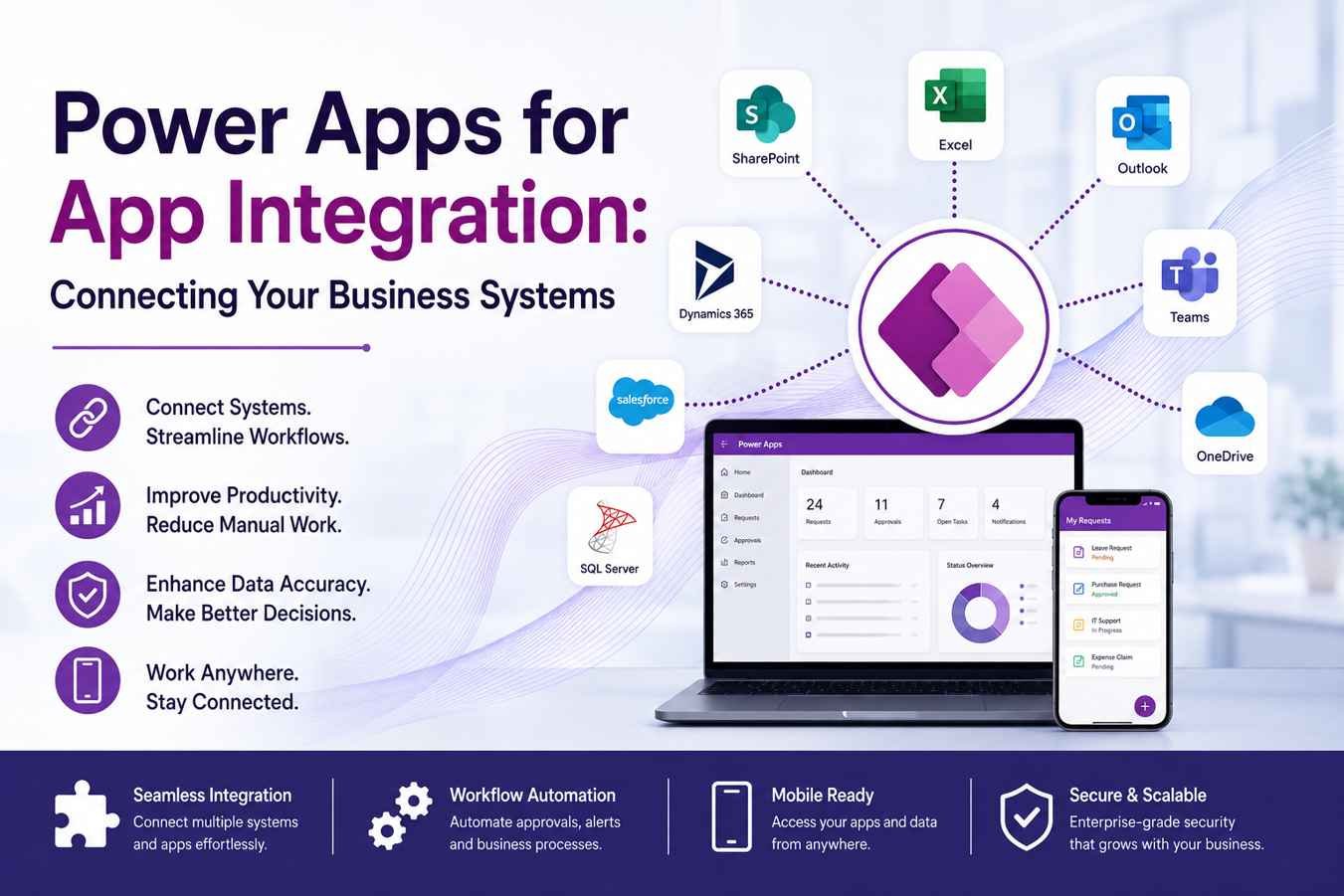
Modern businesses use many digital tools to manage daily operations, customer relationships, finance, sales, reporting, inventory, and communication. However, when these systems do not work together, teams face delays, duplicate work, data errors, and poor visibility. This is where Microsoft Power Apps becomes valuable. Power Apps helps businesses build custom applications that connect different systems and create smoother workflows. With the right strategy, companies can use power apps for apps integration to bring data, people, and processes into one connected digital environment.
What Is Power Apps?
It allows businesses to create custom apps without building everything from scratch. These apps can be used on desktops, tablets, and mobile devices. Power Apps is especially useful for companies that need quick solutions for internal processes, approval systems, data collection, reporting, and automation. Instead of relying on manual spreadsheets or disconnected software, businesses can create apps that fit their exact needs and connect with existing tools.
Why App Integration Matters
App integration is essential because modern businesses often use different software for different tasks, such as sales, accounting, inventory, customer support, and internal communication. When these tools are not connected, employees have to repeat the same work across multiple platforms, which can waste time and create errors. Integrated systems allow data to move smoothly from one application to another, helping teams access accurate information, work faster, and make better business decisions.
How Power Apps Connects Business Systems
Power Apps helps businesses connect different systems by using ready-made connectors, APIs, Microsoft Data verse, and Power Automate. These features allow data from multiple platforms to come together inside one easy-to-use application. For example, a sales team can open a Power App to check customer records, order details, and approval updates without moving between several tools. This improves workflow, saves time, and helps employees complete tasks more efficiently.
Built-In Connectors in Power Apps
A major benefit of Power Apps is its large collection of ready-to-use connectors. These connectors help businesses link their apps with Microsoft platforms such as SharePoint, Excel, Outlook, Teams, Dynamics 365, and and One Drive. Power Apps can also connect with external tools like Sales force, Google services, Drop box, SQL Server, and other business systems. This saves development time because companies do not need to build every connection from the ground up. As a result, teams can connect data sources quickly and create useful apps for daily business tasks.
Using Power Apps with Microsoft 365
Power Apps integrates smoothly with Microsoft 365, which makes it useful for businesses already working with Teams, Outlook, SharePoint, and Excel. For example, a company can build a leave management app that stores requests in SharePoint, sends alerts through Outlook, and shares approval updates in Teams. This makes the employee experience more organized and connected. Instead of depending on long email threads or manual spreadsheet updates, businesses can manage the process in a simple, automated, and easy-to-track way.
Power Apps and Dynamics 365 Integration
Many companies depend on Dynamics 365 to manage sales, customer support, finance, operations, and marketing activities. Power Apps can make Dynamics 365 even more useful by allowing businesses to create custom applications for specific workflows. For example, field sales teams can use a mobile Power App to record client visits, upload images, submit updates, and send information directly to Dynamics 365. This helps reduce manual reporting, improve customer tracking, and keep CRM or ERP data updated in re
Improving Workflow Automation
Power Apps becomes more effective when it is used with Power Automate. Power Apps gives employees a simple screen to submit information, while Power Automate manages the actions behind the process. For example, when a request is submitted through a Power App, Power Automate can notify approvers, update records, assign tasks, and inform managers automatically. Businesses can use this combination to automate approvals, employee onboarding, purchase requests, support tickets, and other regular workflows.
Reducing Manual Data Entry
Employees may need to enter the same information into different systems, which takes time and can create inconsistent records. Power Apps helps solve this issue by connecting applications and letting data move automatically between them. Information can be captured once through a single app and shared with multiple systems. This improves accuracy, saves time, and allows teams to focus on more important business activities instead of repeated manual tasks.
Creating a Centralized Business View
When business systems are not connected, it becomes difficult for managers to see the full picture of company operations. They may have to review different dashboards, reports, and spreadsheets just to understand current performance. Power Apps can simplify this by bringing key information into one custom app. For example, managers can check sales activity, stock levels, approval requests, and customer concerns from a single place.
Supporting Mobile Business Operations
Modern teams often work from different places, such as offices, warehouses, client locations, or remote work setups. Power Apps helps businesses support this flexibility by creating mobile-friendly applications that employees can use from anywhere. For example, field staff can submit inspection forms, sales teams can update customer information, and managers can approve requests directly from their phones. This keeps work moving smoothly and helps businesses stay productive even when employees are away from their desks.
Enhancing Data Accuracy and Consistency
Accurate data is important for smooth business performance and better decision-making. Power Apps helps improve data quality by connecting different data sources and using structured forms for information entry. Businesses can add required fields, dropdown menus, validation rules, and approval steps to reduce errors. This helps department’s work with cleaner, more reliable and consistent information.
Benefits of Power Apps for App Integration
Using power apps for apps integration can help businesses improve daily operations in many ways. It increases productivity, removes repetitive tasks, connects different departments, and gives team’s better access to useful information. Power Apps also allows companies to update old processes without fully replacing their current systems. Instead of starting with costly custom software, businesses can create flexible apps quickly, test new workflows, and expand them as their needs grow.
Conclusion
Power Apps is a valuable platform for businesses that need to connect different systems, simplify workflows, and improve overall efficiency. It helps companies create custom applications that work with Microsoft tools, third-party software, databases, and enterprise platforms. By using power apps for apps integration, businesses can lower manual effort, improve data quality, support mobile employees, and build a more connected workplace. In today’s competitive business environment, system integration is not just helpful; it is necessary for faster work, better decisions, and sustainable growth. Devsinc helps businesses use Power Apps to connect systems, automate workflows, and improve daily operations with scalable digital solutions.
More Details : The Best Productivity Apps for iPhone: Boost Your Efficiency

Immediate Loading Implants: How “Fixed Teeth in 48 Hours” Really Works

How UK Mobile Proxies Help Businesses Test Their Websites

Gen AI in Supply Chain: Using Supply Chain Benchmarks to Improve Performance

What Is the UK Theory Test? How It Works, Cost and Pass Mark

Weather the Storm: Why Totally Branded Umbrellas are the UK’s Most Appreciated Gift

How to Store, Wind, and Travel With Your Automatic Watch Collection Without Damaging It

What Do HubSpot Onboarding Services Include?

AI in Supply Chain: How AI Consulting Services Help Build More Intelligent and Resilient Operations

Hungary Dental Tourism: Quality Dental Care at Affordable Prices

Timur Turlov: A Vision for the Future of Global Chess
How to Store, Wind, and Travel With Your Automatic Watch Collection Without Damaging It
What Is the UK Theory Test? How It Works, Cost and Pass Mark
Weather the Storm: Why Totally Branded Umbrellas are the UK’s Most Appreciated Gift
Gen AI in Supply Chain: Using Supply Chain Benchmarks to Improve Performance
How UK Mobile Proxies Help Businesses Test Their Websites
Immediate Loading Implants: How “Fixed Teeth in 48 Hours” Really Works
Immediate Loading Implants: How “Fixed Teeth in 48 Hours” Really Works
How UK Mobile Proxies Help Businesses Test Their Websites
Gen AI in Supply Chain: Using Supply Chain Benchmarks to Improve Performance
What Is the UK Theory Test? How It Works, Cost and Pass Mark
Weather the Storm: Why Totally Branded Umbrellas are the UK’s Most Appreciated Gift
How to Store, Wind, and Travel With Your Automatic Watch Collection Without Damaging It
What Do HubSpot Onboarding Services Include?
AI in Supply Chain: How AI Consulting Services Help Build More Intelligent and Resilient Operations
Hungary Dental Tourism: Quality Dental Care at Affordable Prices
Timur Turlov: A Vision for the Future of Global Chess
-

 Tech8 months ago
xxx is equal to 2022: A Complete Informative Explanation of a Cubic Equation
-

 Celebrity8 months ago
Izzie Balmer Partner: A Deep Dive into the Relationship with Will Hawley
-

 Entertainment8 months ago
The Artistic World of Gege Akutami: A Mastermind Behind Jujutsu Kaisen
-

 Food5 months ago
Best Sushi Rice Brands: A Complete Guide to Choosing the Right Rice for Sushi