
Tech
Best Wireless Presentation Clickers in 2026: Top Picks for Professional Presentations

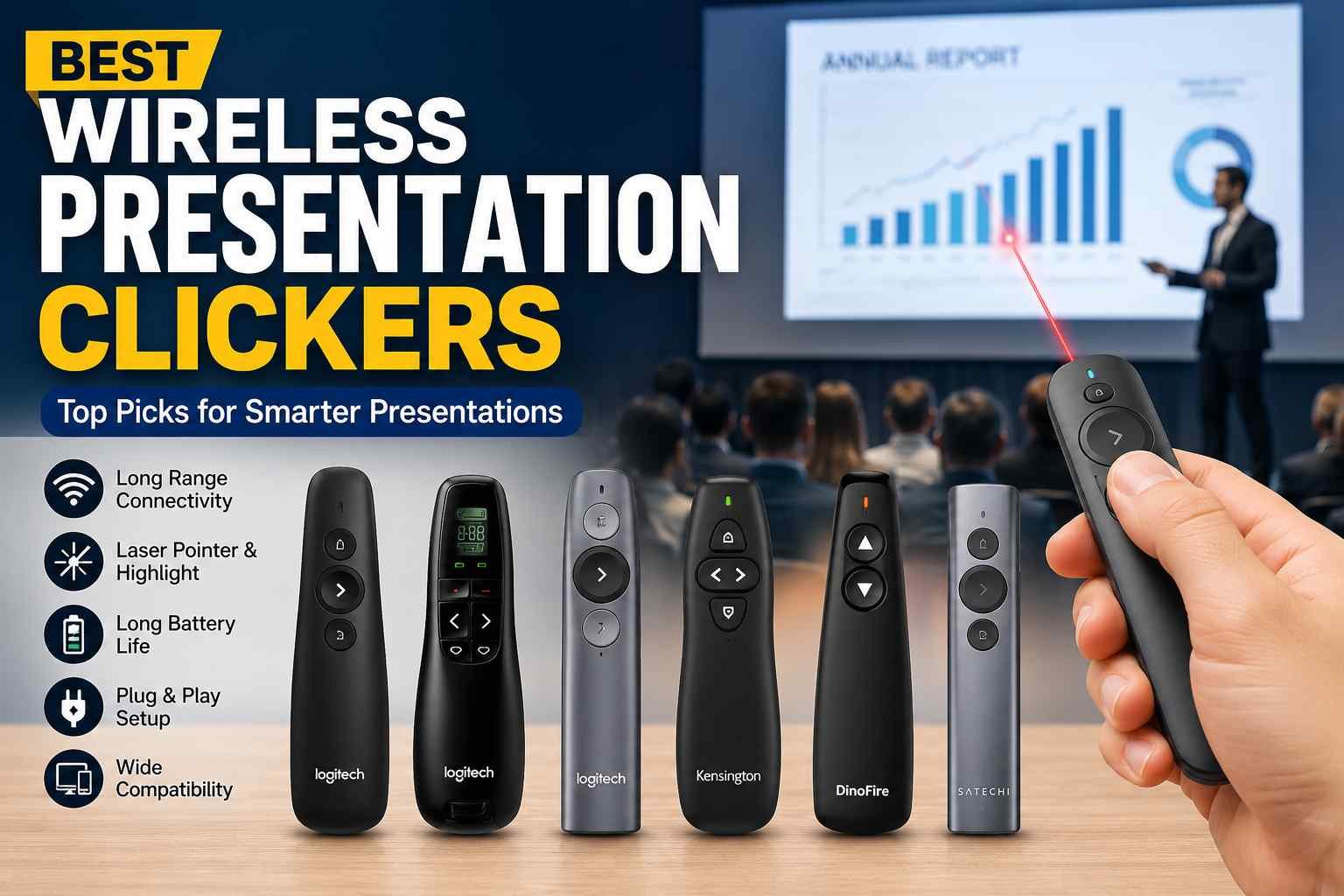
A great presentation is not just about the slides you create—it is also about how effectively you deliver them. Whether you’re speaking in a boardroom, classroom, conference hall, or training session, maintaining eye contact and moving freely can significantly improve audience engagement. This is where wireless presentation clickers become essential.
The best wireless presentation clickers allow presenters to advance slides, highlight important points, control multimedia, and move around confidently without being tied to a laptop. With dozens of models available today, choosing the right one can be challenging. Some prioritize long-range connectivity, while others focus on advanced features like rechargeable batteries, spotlight functions, and compatibility with multiple devices.
This guide reviews the top wireless presentation clickers available today and explains what makes each one worth considering.
Why Use a Wireless Presentation Clicker?
Presentation clickers help speakers stay focused on their audience rather than their computer. Instead of walking back to a laptop every time a slide changes, presenters can move naturally throughout the room.
Benefits include:
- Better audience engagement
- Greater confidence while speaking
- Professional presentation delivery
- Improved slide control
- Freedom to move around the room
- Reduced distractions during presentations
For professionals who regularly present, a quality clicker is often as important as the presentation itself.
What Makes the Best Wireless Presentation Clickers?
Before choosing a device, it is important to understand the features that separate average clickers from excellent ones.
Reliable Wireless Connection
A stable connection prevents missed slide transitions and technical interruptions. Most premium clickers use either USB receivers or Bluetooth technology for dependable performance.
Comfortable Design
Presenters may hold a clicker for an hour or more. Ergonomic buttons and lightweight designs make extended use more comfortable.
Long Battery Life
Nothing is worse than a clicker failing during an important presentation. Models with rechargeable batteries or extended battery life offer greater reliability.
Presentation Software Compatibility
The best devices work seamlessly with:
- Microsoft PowerPoint
- Google Slides
- Apple Keynote
- Prezi
- Canva Presentations
Additional Presentation Features
Premium clickers may include:
- Laser pointers
- Digital spotlight tools
- Air mouse functions
- Vibration timers
- Customizable buttons
Best Wireless Presentation Clickers for 2026
1. Logitech Spotlight Presentation Remote
Best Overall Wireless Presentation Clicker
The Logitech Spotlight remains one of the most advanced presentation remotes available. It is designed for professionals who regularly present in corporate environments and large events.
Key Features
- Bluetooth and USB connectivity
- Advanced digital spotlight feature
- Vibration time alerts
- Cursor control functionality
- Rechargeable battery
- Up to 100-foot operating range
Pros
- Premium build quality
- Works across multiple platforms
- Excellent presentation tools
- Reliable wireless performance
Cons
- More expensive than standard clickers
For professionals seeking the best wireless presentation clickers, the Logitech Spotlight consistently ranks among the top choices.
2. Logitech R500 Laser Presentation Remote
Best Value for Money
The Logitech R500 offers an excellent balance between affordability and functionality.
Key Features
- Red laser pointer
- 65-foot wireless range
- USB receiver and Bluetooth support
- Comfortable ergonomic design
- Compatible with Windows, Mac, and ChromeOS
Pros
- Affordable price
- Easy setup
- Reliable performance
- Comfortable one-handed use
Cons
- Fewer advanced features than Spotlight
For everyday business presentations and classroom use, the R500 delivers exceptional value.
3. DinoFire Wireless Presenter
Best Budget Option
The DinoFire Wireless Presenter is popular among teachers, students, and occasional presenters who need dependable performance at a lower cost.
Key Features
- Plug-and-play functionality
- Red laser pointer
- Slide control buttons
- USB receiver storage compartment
- Broad software compatibility
Pros
- Budget-friendly
- Lightweight design
- Easy to use
- Reliable connection
Cons
- Limited advanced functionality
It is one of the strongest entry-level options for users seeking affordability without sacrificing core presentation features.
4. Kensington Expert Wireless Presenter
Best for Large Venues
Kensington has built a strong reputation for presentation accessories, and the Expert Wireless Presenter is designed for speakers who frequently present in larger spaces.
Key Features
- Long wireless range
- Bright green laser pointer
- Intuitive button layout
- USB receiver storage
- Durable construction
Pros
- Highly visible laser
- Excellent range
- Comfortable grip
- Strong reliability
Cons
- Slightly bulkier than competitors
Conference speakers and trainers often appreciate its dependable long-distance performance.
5. Logitech Professional Presenter R800
Best Laser Pointer Performance
The Logitech R800 remains one of the most recognized presentation clickers due to its powerful green laser.
Key Features
- Bright green laser pointer
- LCD display timer
- Silent vibration alerts
- 100-foot wireless range
- Plug-and-play USB connectivity
Pros
- Outstanding laser visibility
- Built-in presentation timer
- Excellent reliability
- Suitable for large rooms
Cons
- Uses disposable batteries
For presenters who frequently work in large auditoriums or brightly lit spaces, the R800 remains a strong option.
6. Satechi Aluminum Bluetooth Presentation Remote
Best for Apple Users
Apple users often prefer accessories that match their ecosystem, and the Satechi Presentation Remote does exactly that.
Key Features
- Bluetooth connectivity
- Elegant aluminum design
- Compact form factor
- Mac-friendly functionality
- Rechargeable battery
Pros
- Premium appearance
- No USB receiver required
- Excellent portability
- Strong Mac compatibility
Cons
- Limited advanced presentation features
It is an excellent choice for professionals who primarily present using MacBooks and iPads.
Which Wireless Presentation Clicker Is Best for Different Users?
For Business Professionals
The Logitech Spotlight offers advanced presentation controls, timer functions, and professional-grade reliability.
For Teachers
The Logitech R500 and DinoFire Wireless Presenter provide simple controls and dependable performance for classroom environments.
For Public Speakers
The Logitech R800 and Kensington Expert Presenter offer superior range and highly visible laser pointers.
For Students
Budget-friendly options like the DinoFire Wireless Presenter provide all essential features without a large investment.
For Apple Users
The Satechi Aluminum Bluetooth Presentation Remote integrates smoothly with Apple devices and offers a clean, premium design.
How to Choose the Right Presentation Clicker
Consider Your Presentation Environment
Small meeting rooms may only require a short wireless range, while conference halls demand long-range connectivity.
Think About Battery Preferences
Some users prefer replaceable batteries for convenience, while others appreciate rechargeable models that reduce ongoing costs.
Evaluate Software Compatibility
Always verify that the clicker works with your preferred presentation software and operating system.
Decide Whether You Need a Laser Pointer
Many presenters rarely use laser pointers, while others depend on them for audience engagement. Choose accordingly.
Consider Future Needs
If presentations are a regular part of your work, investing in a premium remote can improve performance and reliability over time.
Common Problems with Cheap Presentation Clickers
Low-cost clickers can sometimes create issues during important presentations.
Common problems include:
- Weak wireless signals
- Poor battery life
- Unresponsive buttons
- Limited software compatibility
- Cheap construction quality
While budget options can work well for occasional use, professionals who present frequently often benefit from investing in higher-quality devices.
Final Verdict
Finding the best wireless presentation clickers depends on your specific needs, presentation style, and budget.
For most professionals, the Logitech Spotlight is the top overall choice thanks to its advanced features, reliability, and modern design. Those seeking value should consider the Logitech R500, while budget-conscious users can confidently choose the DinoFire Wireless Presenter.
If laser visibility and large-room performance are priorities, the Logitech R800 and Kensington Expert Wireless Presenter remain excellent options. Apple users, meanwhile, may find the Satechi Aluminum Bluetooth Presentation Remote to be the perfect fit.
A quality presentation clicker may seem like a small investment, but it can dramatically improve your confidence, mobility, and overall presentation effectiveness.
More Details : Best Wireless Earbuds Under 200 Dollars 2024: Top Picks for Sound, Comfort, and Value
FAQs
1. What is the best wireless presentation clicker overall?
The Logitech Spotlight is widely considered the best overall option due to its advanced presentation tools, reliability, and premium design.
2. Which presentation clicker is best for PowerPoint?
Most premium clickers support PowerPoint, but the Logitech R500 and Logitech Spotlight are particularly popular among PowerPoint users.
3. Do wireless presentation clickers work with Google Slides?
Yes, most modern clickers support Google Slides on Windows, Mac, and ChromeOS devices.
4. Are Bluetooth presentation clickers better than USB clickers?
Bluetooth clickers eliminate the need for a receiver, while USB clickers often provide more stable connectivity. The best choice depends on your setup.
5. How far can a wireless presentation clicker work?
Most quality clickers offer a range between 50 and 100 feet, making them suitable for classrooms, meeting rooms, and conference halls.

Immediate Loading Implants: How “Fixed Teeth in 48 Hours” Really Works

How UK Mobile Proxies Help Businesses Test Their Websites

Gen AI in Supply Chain: Using Supply Chain Benchmarks to Improve Performance

What Is the UK Theory Test? How It Works, Cost and Pass Mark

Weather the Storm: Why Totally Branded Umbrellas are the UK’s Most Appreciated Gift

How to Store, Wind, and Travel With Your Automatic Watch Collection Without Damaging It

What Do HubSpot Onboarding Services Include?

AI in Supply Chain: How AI Consulting Services Help Build More Intelligent and Resilient Operations

Hungary Dental Tourism: Quality Dental Care at Affordable Prices

Timur Turlov: A Vision for the Future of Global Chess
How to Store, Wind, and Travel With Your Automatic Watch Collection Without Damaging It
What Is the UK Theory Test? How It Works, Cost and Pass Mark
Weather the Storm: Why Totally Branded Umbrellas are the UK’s Most Appreciated Gift
Gen AI in Supply Chain: Using Supply Chain Benchmarks to Improve Performance
How UK Mobile Proxies Help Businesses Test Their Websites
Immediate Loading Implants: How “Fixed Teeth in 48 Hours” Really Works
Immediate Loading Implants: How “Fixed Teeth in 48 Hours” Really Works
How UK Mobile Proxies Help Businesses Test Their Websites
Gen AI in Supply Chain: Using Supply Chain Benchmarks to Improve Performance
What Is the UK Theory Test? How It Works, Cost and Pass Mark
Weather the Storm: Why Totally Branded Umbrellas are the UK’s Most Appreciated Gift
How to Store, Wind, and Travel With Your Automatic Watch Collection Without Damaging It
What Do HubSpot Onboarding Services Include?
AI in Supply Chain: How AI Consulting Services Help Build More Intelligent and Resilient Operations
Hungary Dental Tourism: Quality Dental Care at Affordable Prices
Timur Turlov: A Vision for the Future of Global Chess
-

 Tech8 months ago
xxx is equal to 2022: A Complete Informative Explanation of a Cubic Equation
-

 Celebrity8 months ago
Izzie Balmer Partner: A Deep Dive into the Relationship with Will Hawley
-

 Entertainment8 months ago
The Artistic World of Gege Akutami: A Mastermind Behind Jujutsu Kaisen
-

 Food5 months ago
Best Sushi Rice Brands: A Complete Guide to Choosing the Right Rice for Sushi