
How to
How to Know If Someone Screenshots Your Instagram Story

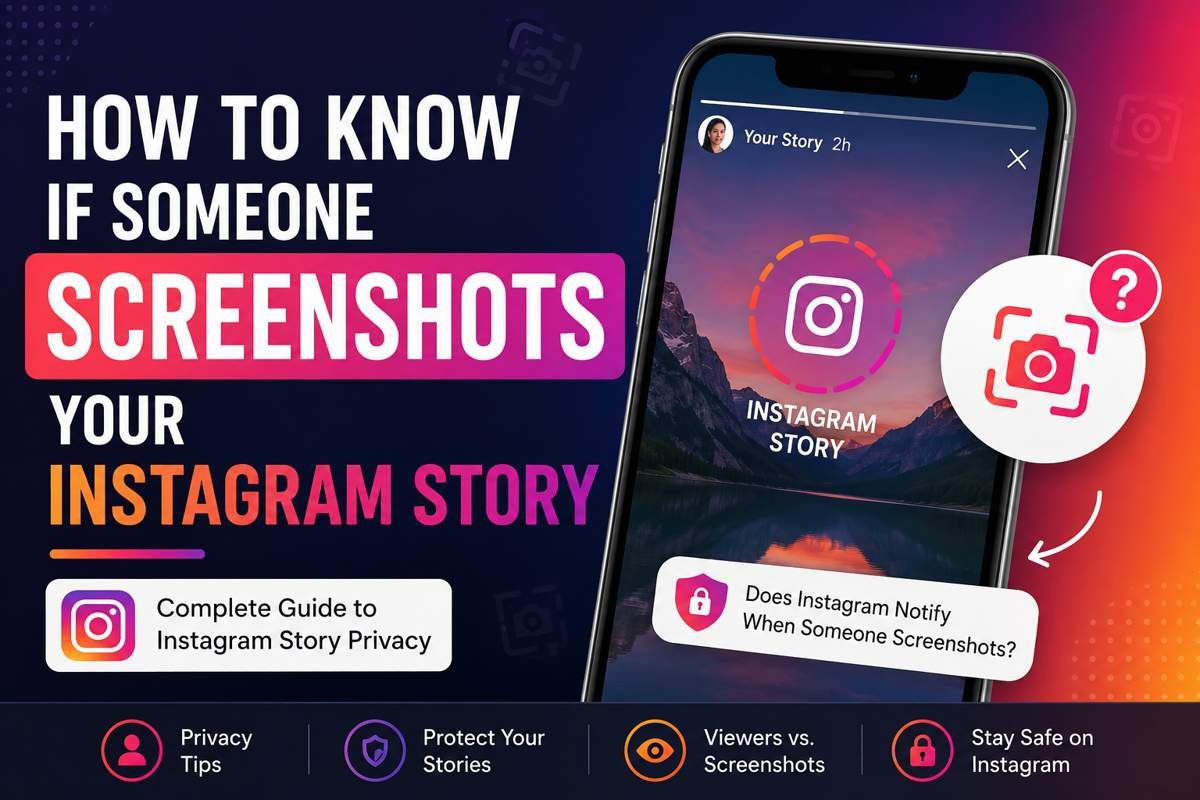
Instagram Stories have become one of the most popular ways to share quick updates, photos, videos, and daily moments. Since Stories disappear after 24 hours, many users assume their content is temporary and private. However, one common concern continues to come up: can you tell when someone takes a screenshot of your Story?
If you have ever wondered how to know if someone screenshots your Instagram story, you are not alone. Many Instagram users want to protect their privacy and understand what others can do with their content. In this article, you will learn exactly how Instagram handles screenshots, whether notifications exist, and what privacy settings can help you stay more secure on the platform.
Does Instagram Notify Story Screenshots?
The simple answer is no. Instagram currently does not notify users when someone screenshots their Story.
If a person views your Story and decides to take a screenshot or screen recording, Instagram will not send you a notification. You also will not see any icon, symbol, or activity alert showing who captured your content.
This policy applies to:
- Photo Stories
- Video Stories
- Boomerangs
- Text Stories
- Close Friends Stories
Instagram tested screenshot notifications several years ago for Stories, but the feature was removed. Since then, users have been able to capture Stories without the original poster being informed.
Why People Want Screenshot Notifications
Many users care about screenshot alerts because Stories often contain personal or temporary content. Unlike regular Instagram posts, Stories feel more casual and private.
People usually want to know if screenshots are taken for reasons such as:
- Protecting personal photos
- Preventing content theft
- Avoiding gossip or sharing outside Instagram
- Maintaining privacy among followers
- Keeping temporary moments temporary
Although Instagram does not provide Story screenshot alerts, understanding the platform’s privacy tools can still help you control your audience.
Can You See Who Viewed Your Instagram Story?
Yes, Instagram allows you to see who viewed your Story.
When you upload a Story, you can swipe up on the Story itself to access the viewer list. This section shows everyone who watched your content while it was active.
However, the viewer list only tells you who opened the Story. It does not indicate whether someone took a screenshot or recorded the screen.
This is an important distinction because many users confuse Story viewers with screenshot tracking.
Screenshot Notifications Instagram Actually Supports
Although Stories do not trigger notifications, Instagram does notify users in some specific situations.
Vanish Mode Messages
Instagram sends screenshot alerts when someone screenshots disappearing messages sent through Vanish Mode.
Vanish Mode is designed for temporary conversations. If a screenshot is captured there, Instagram considers it a privacy-sensitive action and sends a notification.
Disappearing Photos and Videos in DMs
If you send a disappearing image or video through direct messages using the “View Once” or “Allow Replay” option, Instagram may notify you if the recipient takes a screenshot.
This feature does not apply to regular chats or Stories.
How to Protect Your Instagram Stories
Even though there is no official way to detect screenshots, there are several smart privacy steps you can take.
Use the Close Friends Feature
Close Friends allows you to share Stories only with selected people.
Instead of posting sensitive content publicly to all followers, you can limit visibility to trusted individuals.
To use Close Friends:
- Open Instagram settings
- Tap “Close Friends”
- Add trusted accounts
- Share Stories only with that list
This significantly reduces the risk of unwanted screenshots.
Hide Stories From Specific Users
Instagram also lets you manually hide Stories from certain people.
If there are followers you do not trust completely, you can prevent them from viewing your content altogether.
To hide your Story:
- Open Settings and Privacy
- Tap “Hide Story and Live”
- Select the users you want to block from viewing Stories
This option is useful for maintaining personal boundaries online.
Avoid Sharing Sensitive Information
One of the best ways to stay safe is to avoid posting highly personal content in Stories.
Even trusted followers can save or share screenshots without permission. Once content is captured, you lose control over where it goes.
Avoid posting:
- Private documents
- Personal addresses
- Financial details
- Confidential conversations
- Sensitive photos
The internet is permanent, even when Stories disappear after 24 hours.
Can Third-Party Apps Detect Screenshots?
Many apps and websites claim they can show who screenshots your Instagram Story. Most of these claims are misleading.
Instagram does not provide public screenshot-tracking access through its API. This means third-party apps generally cannot detect Story screenshots accurately.
Using these apps can also create security risks such as:
- Account hacking
- Password theft
- Data collection
- Privacy breaches
- Fake analytics
For safety reasons, avoid connecting your Instagram account to untrusted applications.
Common Myths About Instagram Story Screenshots
There are many rumors online about screenshot detection. Let’s clear up some common myths.
Myth 1: Airplane Mode Prevents Detection
Some users believe turning on Airplane Mode before taking a screenshot hides the action. Since Instagram does not notify Story screenshots anyway, this method is unnecessary.
Myth 2: Screen Recording Is Detectable
Instagram does not notify Story creators about screen recordings either. Whether someone uses screenshots or screen recording, no alert is sent.
Myth 3: Business Accounts Can See More Data
Business and creator accounts receive additional analytics, but screenshot tracking is not included.
Professional accounts can see:
- Reach
- Impressions
- Replies
- Link clicks
- Profile visits
They still cannot see screenshot activity.
How Instagram Prioritizes User Privacy
Instagram balances content sharing with user privacy. While screenshot notifications might sound helpful, they can also create problems.
Some users prefer freedom to save content for inspiration, memories, or reference without triggering alerts.
Instead of focusing on screenshot detection, Instagram provides privacy tools like:
- Private accounts
- Close Friends
- Story hiding
- Restricted accounts
- Blocking features
These tools give users more control over who can access their content in the first place.
What Happens If Someone Shares Your Story Screenshot?
If someone screenshots your Story and reposts it elsewhere, your options depend on the situation.
If It Is Harassment or Abuse
You can report the account directly to Instagram for harassment, impersonation, or bullying.
If Copyright Is Involved
If your original creative work is reposted without permission, you may submit a copyright complaint through Instagram’s reporting system.
If It Is Shared Privately
Unfortunately, private sharing through chats or other apps is difficult to track or control once a screenshot exists.
This is why careful sharing remains important.
Tips for Safer Instagram Story Sharing
If privacy matters to you, consider these practical habits before posting Stories.
Keep Your Account Private
A private account limits Story access to approved followers only.
Review Your Followers Regularly
Remove followers you no longer know or trust.
Avoid Real-Time Location Sharing
Posting your exact location while still present can create safety concerns.
Use Temporary Content Carefully
Even temporary content can become permanent through screenshots.
Think Before Posting
A simple pause before sharing can prevent future problems.
Will Instagram Add Screenshot Notifications in the Future?
Instagram constantly updates its features, so policies can always change.
The platform experimented with Story screenshot notifications in the past but removed the feature after user feedback. Many people found the alerts unnecessary or intrusive.
While Instagram could revisit the idea in the future, there is currently no official announcement suggesting screenshot alerts will return for Stories.
Keeping your app updated is the best way to stay informed about any future changes.
Final Thoughts
Understanding how to know if someone screenshots your Instagram story is important for anyone who values online privacy. At the moment, Instagram does not notify users when someone screenshots or screen records a Story.
Because screenshot detection is unavailable, the best approach is to manage your audience carefully and use Instagram’s privacy settings wisely. Features like Close Friends, private accounts, and Story hiding can help you share content more confidently.
Social media should feel comfortable and safe. By understanding how Instagram handles screenshots and privacy, you can make smarter decisions about what you post and who gets to see it.
More Details : How to Turn Off iPhone: A Complete Guide for Every Model
FAQs
1. Can Instagram detect Story screenshots?
Instagram can technically detect screenshots in some areas like disappearing messages, but it does not notify users about Story screenshots.
2. Does Instagram notify screen recordings of Stories?
No, Instagram does not send notifications for screen recordings of Stories.
3. Can third-party apps show who screenshots my Story?
Most third-party apps claiming this feature are unreliable and may risk your account security.
4. Are Close Friends Stories safer from screenshots?
They are safer because only selected people can view them, but screenshots are still possible.
5. Did Instagram ever test screenshot notifications?
Yes, Instagram briefly tested Story screenshot notifications in the past, but the feature was removed.

12 Best Omegle Alternatives for Random Video Chat and Meeting New People

Dbxbqm Meaning: Why It Appears When You Try to Type YouTube

Immediate Loading Implants: How “Fixed Teeth in 48 Hours” Really Works

How UK Mobile Proxies Help Businesses Test Their Websites

Gen AI in Supply Chain: Using Supply Chain Benchmarks to Improve Performance

What Is the UK Theory Test? How It Works, Cost and Pass Mark

Weather the Storm: Why Totally Branded Umbrellas are the UK’s Most Appreciated Gift

How to Store, Wind, and Travel With Your Automatic Watch Collection Without Damaging It

What Do HubSpot Onboarding Services Include?

AI in Supply Chain: How AI Consulting Services Help Build More Intelligent and Resilient Operations
Immediate Loading Implants: How “Fixed Teeth in 48 Hours” Really Works
How UK Mobile Proxies Help Businesses Test Their Websites
Gen AI in Supply Chain: Using Supply Chain Benchmarks to Improve Performance
12 Best Omegle Alternatives for Random Video Chat and Meeting New People
Dbxbqm Meaning: Why It Appears When You Try to Type YouTube
12 Best Omegle Alternatives for Random Video Chat and Meeting New People
Dbxbqm Meaning: Why It Appears When You Try to Type YouTube
Immediate Loading Implants: How “Fixed Teeth in 48 Hours” Really Works
How UK Mobile Proxies Help Businesses Test Their Websites
Gen AI in Supply Chain: Using Supply Chain Benchmarks to Improve Performance
What Is the UK Theory Test? How It Works, Cost and Pass Mark
Weather the Storm: Why Totally Branded Umbrellas are the UK’s Most Appreciated Gift
How to Store, Wind, and Travel With Your Automatic Watch Collection Without Damaging It
What Do HubSpot Onboarding Services Include?
AI in Supply Chain: How AI Consulting Services Help Build More Intelligent and Resilient Operations
-

 Tech9 months ago
xxx is equal to 2022: A Complete Informative Explanation of a Cubic Equation
-
 Celebrity8 months ago
Izzie Balmer Partner: A Deep Dive into the Relationship with Will Hawley
-

 Entertainment9 months ago
The Artistic World of Gege Akutami: A Mastermind Behind Jujutsu Kaisen
-

 Food5 months ago
Best Sushi Rice Brands: A Complete Guide to Choosing the Right Rice for Sushi