
Blog
Dbxbqm Meaning: Why It Appears When You Try to Type YouTube

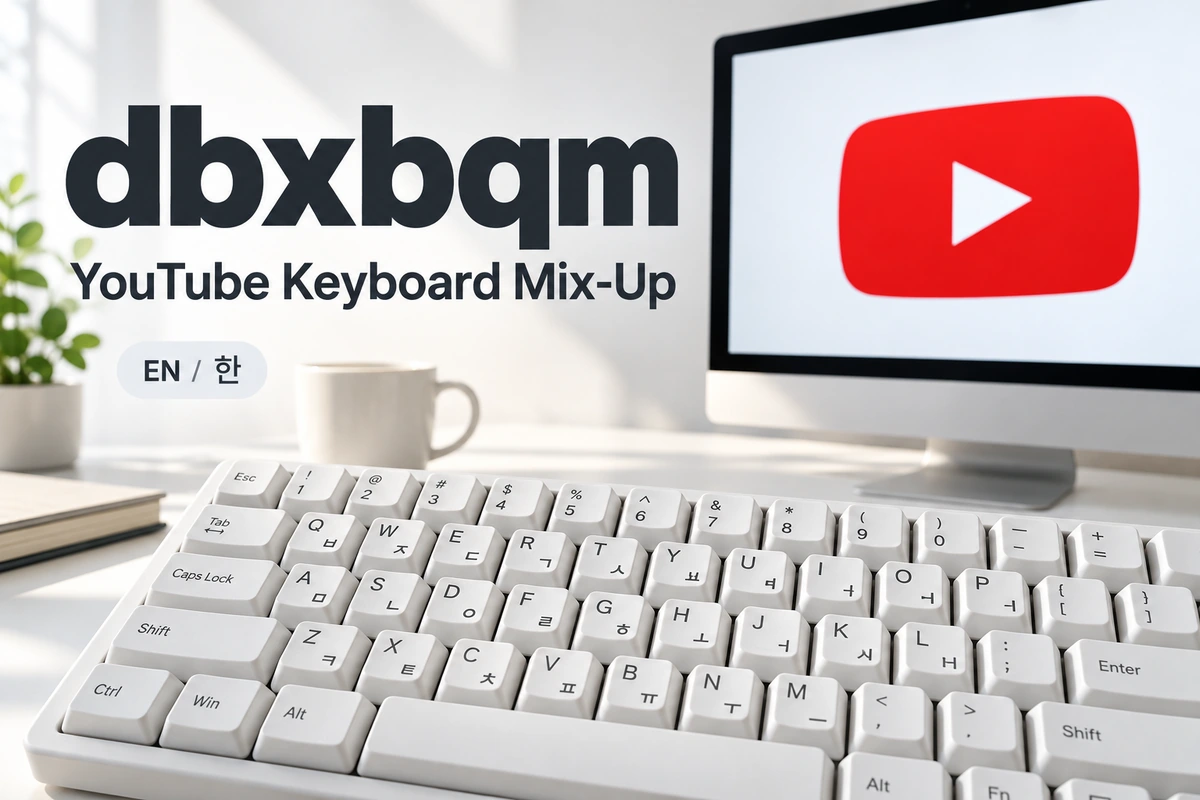
If you typed dbxbqm while trying to search for YouTube in Korean, the explanation is straightforward: your keyboard was producing English letters instead of Korean characters. On the Korean two-set keyboard layout, the same keys produce 유튜브, the Korean spelling of YouTube. Recognizing this connection helps you correct the search without changing your browser or installing another application. If you simply want to watch videos, you can go directly to YouTube.
How the Keyboard Connection Works
A keyboard can produce different characters depending on the selected input language. The letters printed on its keys do not determine everything that appears on screen. With Korean input enabled, those keys enter Hangul characters, and the input software combines them into syllable blocks. Microsoft explains that its Korean Input Method Editor, or IME, allows a standard keyboard to enter Korean without changing the Windows display language. This means your menus can remain in English while you type Korean text.
The Letters Behind the Korean Spelling
The connection becomes clearer when you examine the individual key positions. Using the standard Korean two-set layout, the six English keystrokes correspond to the characters shown below. Read them in pairs: the first pair forms 유, the second forms 튜, and the third forms 브. Together, these blocks produce 유튜브. This is a keyboard-layout correspondence rather than an English translation or an abbreviation made from the first letters of several words.
| English key | Korean character | Combined syllable |
|---|---|---|
| d | ㅇ | |
| b | ㅠ | 유 |
| x | ㅌ | |
| b | ㅠ | 튜 |
| q | ㅂ | |
| m | ㅡ | 브 |
Why Six Keystrokes Produce Three Syllable Blocks
Korean writing groups individual letters into syllable blocks. A block can contain a leading consonant and a vowel, sometimes followed by a final consonant. The three blocks in this particular word each contain two letters. That explains why six key presses produce three visible blocks rather than six separate characters. The Unicode Consortium describes this underlying structure in its Korean writing guidance, distinguishing individual Hangul letters from the syllables they form. Understanding that difference makes the keyboard mapping easier to follow.
Why the Wrong Letters Appear
This situation can happen when you begin typing before checking which input mode is active. For example, you might finish writing an English message and then enter a Korean search using familiar finger movements. If English input remains selected, the computer records Latin letters. Windows also distinguishes between selecting the Korean keyboard and activating Hangul input within that keyboard. As a result, choosing Korean alone may leave you typing English until you change the additional input-mode setting.
How to Open YouTube Immediately
If reaching the video platform is your only goal, type youtube.com into your browser’s address bar and press Enter. You can also use the English name “YouTube” in your search. Neither approach requires Korean input. If you specifically want to search using the Korean spelling, copy 유튜브 and paste it into the search field. Copying the correctly written word is a useful temporary solution when you are using an unfamiliar computer or have not yet configured its keyboard languages.
How to Fix the Input Setting on Windows
Press Windows key + Spacebar to choose an installed keyboard layout, then select Korean Microsoft IME. Check the input-mode indicator beside the language icon: A indicates English input, while 가 indicates Hangul input. Click A to change the mode, then replace the incorrect text and type again. Microsoft also documents the right Alt key as a way to toggle Korean and English input. Checking the visible indicator helps confirm that the switch worked before you repeat your search.
What to Do If Korean Is Missing From Windows
If Korean does not appear among your available keyboards, open Settings, select Time & language, and go to Language & region. Choose Add a language, find Korean, and follow the installation prompts. You can keep your existing Windows display language. Once Korean input support is installed, select it using the taskbar language control. Microsoft’s setup instructions explain that the standard Korean installation includes Microsoft IME, which provides the input support needed for typing Hangul.
How to Check Korean Input on a Mac
On a Mac, open System Settings and select Keyboard to review your input sources. Add Korean if it is missing, choosing the two-set layout when you want the key mapping described above. Then select that input source from the Input menu before typing. Apple also provides an optional Caps Lock setting for switching between a non-Latin input source, such as Korean, and a Latin input source, such as English. Its availability and behavior depend on your configured keyboard settings.
How to Change Languages on an Android Keyboard
If you use Gboard on Android, enable Korean in the keyboard’s language settings and choose the layout you want. Google explains that touching and holding the space bar lets you switch between available languages. Changing Gboard’s language does not change your phone’s overall language settings. After switching, look at the characters displayed on the keyboard before entering the search again. Remember that the physical-key mapping in this article applies to the two-set layout; other mobile layouts can arrange Korean characters differently.
Why This Is Different From Romanization
Romanization represents the sounds of a language using Latin letters. A keyboard mismatch records the English labels of keys that would otherwise enter Korean characters. These are different processes. Reading the six-letter sequence aloud as an English word will not explain the intended Korean pronunciation. Looking at the key positions does. This distinction matters when searching for Korean names, places, or services because a pronunciation-based spelling and a keyboard-generated sequence can look completely different, even when both relate to the same original text.
Does dbxbqm Always Refer to YouTube?
Context still matters. The keyboard mapping gives a clear explanation when someone intended to enter the Korean name of YouTube. However, the same letters also appear as a public account name on services such as SoundCloud. A username containing the sequence does not establish that its owner represents YouTube or that different accounts belong to the same person. When the letters appear in a profile, treat them as that profile’s displayed name unless the account itself provides a reliable explanation.
How to Check Whether the Problem Is Your Keyboard
Try entering a short Korean word in a plain text field after selecting Korean input. If the characters appear correctly there, return to the original search box and check its input mode again. Replace the existing incorrect text rather than expecting a language switch to rewrite it automatically. This simple comparison helps you establish whether the issue affects your typing generally or only the place where you first noticed it. Start with the language controls before considering changes to your browser settings.
How to Avoid Repeating the Mistake
Before entering a Korean search, glance at the language indicator or the visible keyboard characters. This is especially useful after writing in English or moving between applications. For websites you visit regularly, a bookmark removes the need to type their names each time. You can also keep the correct Korean spelling in a note if you are still learning the layout. These habits make the process easier without requiring you to remove either language from your device.
Final Thoughts
The useful explanation for dbxbqm is its direct connection to the Korean two-set keyboard. When the intended word is 유튜브, English input produces the six-letter sequence instead. You can reach YouTube immediately through its website address, or correct your input mode to type the Korean name. Knowing the difference between the selected keyboard language and its active input mode is particularly helpful on Windows, where both settings can affect the characters that appear.
FAQs
What does dbxbqm mean in Korean typing?
It corresponds to the keys used to type 유튜브, the Korean spelling of YouTube, when English input is active.
Is this an abbreviation?
In this keyboard context, it is a sequence of key labels, not an abbreviation with an expanded phrase.
Do I need a Korean physical keyboard?
No. A standard keyboard can type Korean when a suitable Korean input method is installed and selected.
Will switching languages fix text already entered?
Do not expect it to. Select the correct input mode, delete the incorrect text, and type the word again.
What is the quickest way to reach YouTube?
Enter youtube.com in your browser’s address bar or open the YouTube app on your device.
More Details : RIF Meaning: Definition, Uses, Examples, and Why It Matters

12 Best Omegle Alternatives for Random Video Chat and Meeting New People

Dbxbqm Meaning: Why It Appears When You Try to Type YouTube

Immediate Loading Implants: How “Fixed Teeth in 48 Hours” Really Works

How UK Mobile Proxies Help Businesses Test Their Websites

Gen AI in Supply Chain: Using Supply Chain Benchmarks to Improve Performance

What Is the UK Theory Test? How It Works, Cost and Pass Mark

Weather the Storm: Why Totally Branded Umbrellas are the UK’s Most Appreciated Gift

How to Store, Wind, and Travel With Your Automatic Watch Collection Without Damaging It

What Do HubSpot Onboarding Services Include?

AI in Supply Chain: How AI Consulting Services Help Build More Intelligent and Resilient Operations
Immediate Loading Implants: How “Fixed Teeth in 48 Hours” Really Works
How UK Mobile Proxies Help Businesses Test Their Websites
Gen AI in Supply Chain: Using Supply Chain Benchmarks to Improve Performance
12 Best Omegle Alternatives for Random Video Chat and Meeting New People
Dbxbqm Meaning: Why It Appears When You Try to Type YouTube
12 Best Omegle Alternatives for Random Video Chat and Meeting New People
Dbxbqm Meaning: Why It Appears When You Try to Type YouTube
Immediate Loading Implants: How “Fixed Teeth in 48 Hours” Really Works
How UK Mobile Proxies Help Businesses Test Their Websites
Gen AI in Supply Chain: Using Supply Chain Benchmarks to Improve Performance
What Is the UK Theory Test? How It Works, Cost and Pass Mark
Weather the Storm: Why Totally Branded Umbrellas are the UK’s Most Appreciated Gift
How to Store, Wind, and Travel With Your Automatic Watch Collection Without Damaging It
What Do HubSpot Onboarding Services Include?
AI in Supply Chain: How AI Consulting Services Help Build More Intelligent and Resilient Operations
-

 Tech9 months ago
xxx is equal to 2022: A Complete Informative Explanation of a Cubic Equation
-

 Celebrity8 months ago
Izzie Balmer Partner: A Deep Dive into the Relationship with Will Hawley
-

 Entertainment9 months ago
The Artistic World of Gege Akutami: A Mastermind Behind Jujutsu Kaisen
-

 Food5 months ago
Best Sushi Rice Brands: A Complete Guide to Choosing the Right Rice for Sushi